A machine breaks down
Every job planned on it is now late or blocked, and nobody knows by how much.

A production schedule that re-plans when the shop floor changes. When a machine goes down or an urgent order arrives, the scheduler measures the impact, recommends a new schedule and a planner approves it.
assets/promonitor/scheduler-board.webp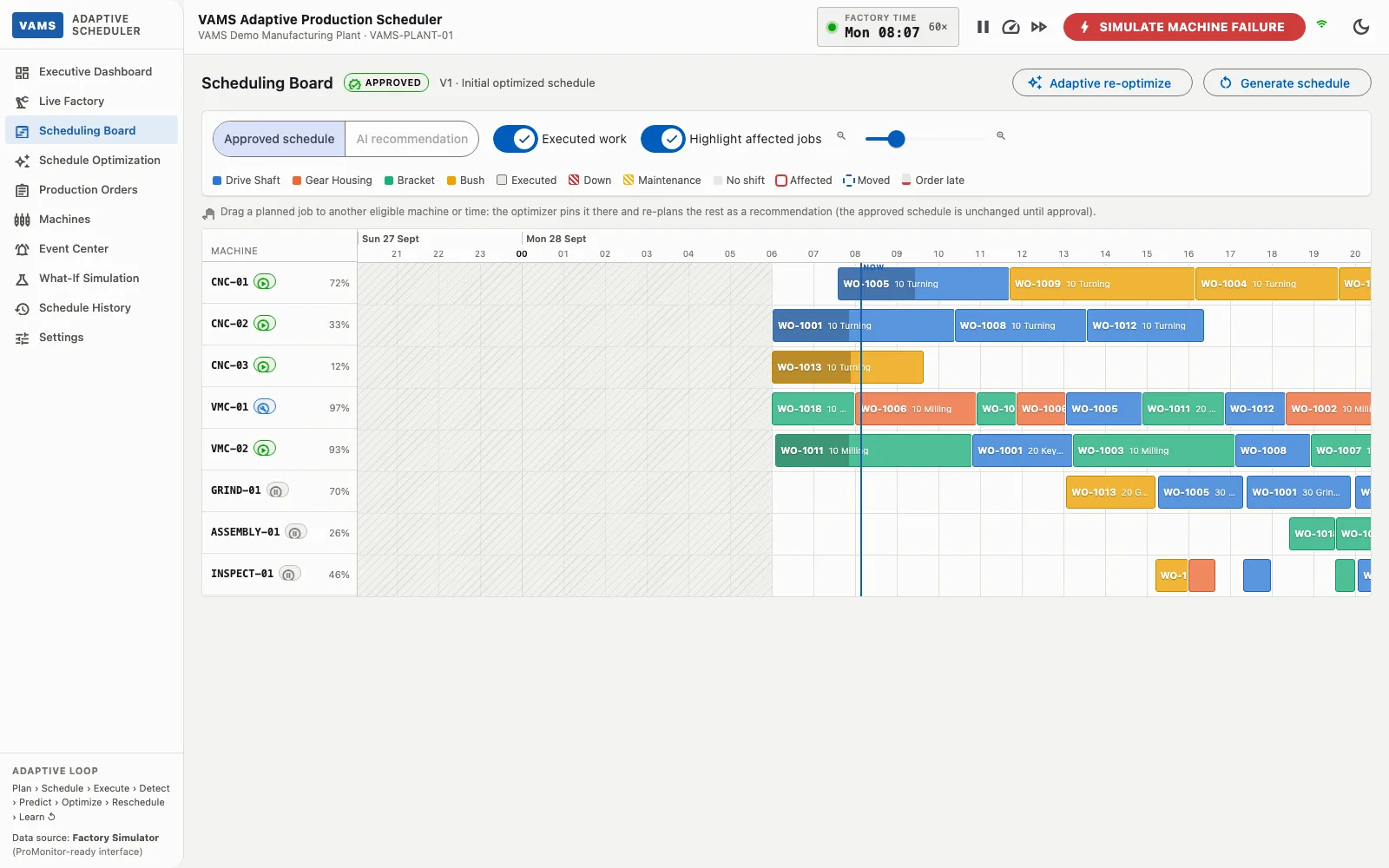
Job shops run many different orders across many machines. The plan made in the morning rarely survives the shift.
Every job planned on it is now late or blocked, and nobody knows by how much.
Fitting it in by hand means pushing other orders back without seeing the effect.
Jobs waiting for it sit idle while other machines could have been used.
Actual run times differ from the plan, and the gap grows through the shift.
The scheduler works as a closed loop, and a person stays in control of every change that reaches the shop floor.
Machine, job and material events arrive in real time and are checked against the approved schedule.
The scheduler lists the affected orders and operations, the estimated delay if nothing is done, and the alternative machines.
An optimization engine builds a recommended new schedule that keeps as many orders on time as possible.
Old and new schedules are compared side by side. Nothing changes on the shop floor until a planner approves it.
Google OR-Tools CP-SAT schedules operations across eligible machines, respecting routings, shift calendars and planned maintenance.
Weigh late orders, tardiness, makespan, setup and idle time to match what your plant values, and change the weights at runtime.
Affected orders, planned versus no-action completion time and customer impact are shown the moment something goes wrong.
KPIs, per-order completion changes and every operation move are compared before you approve.
Test “machine down for 2 hours”, an urgent order or late material against the live plan without touching it.
Drag a job to another machine or time on the Gantt board; the optimizer pins it and re-plans the rest as a recommendation.
Every schedule version, the decision behind it and the events that led to it are kept.
Lightweight models estimate cycle time, breakdown risk, repair time and order completion time.
Screens are from a demonstration environment that uses a built-in factory simulator with sample machines and orders.
assets/promonitor/scheduler-dashboard.webp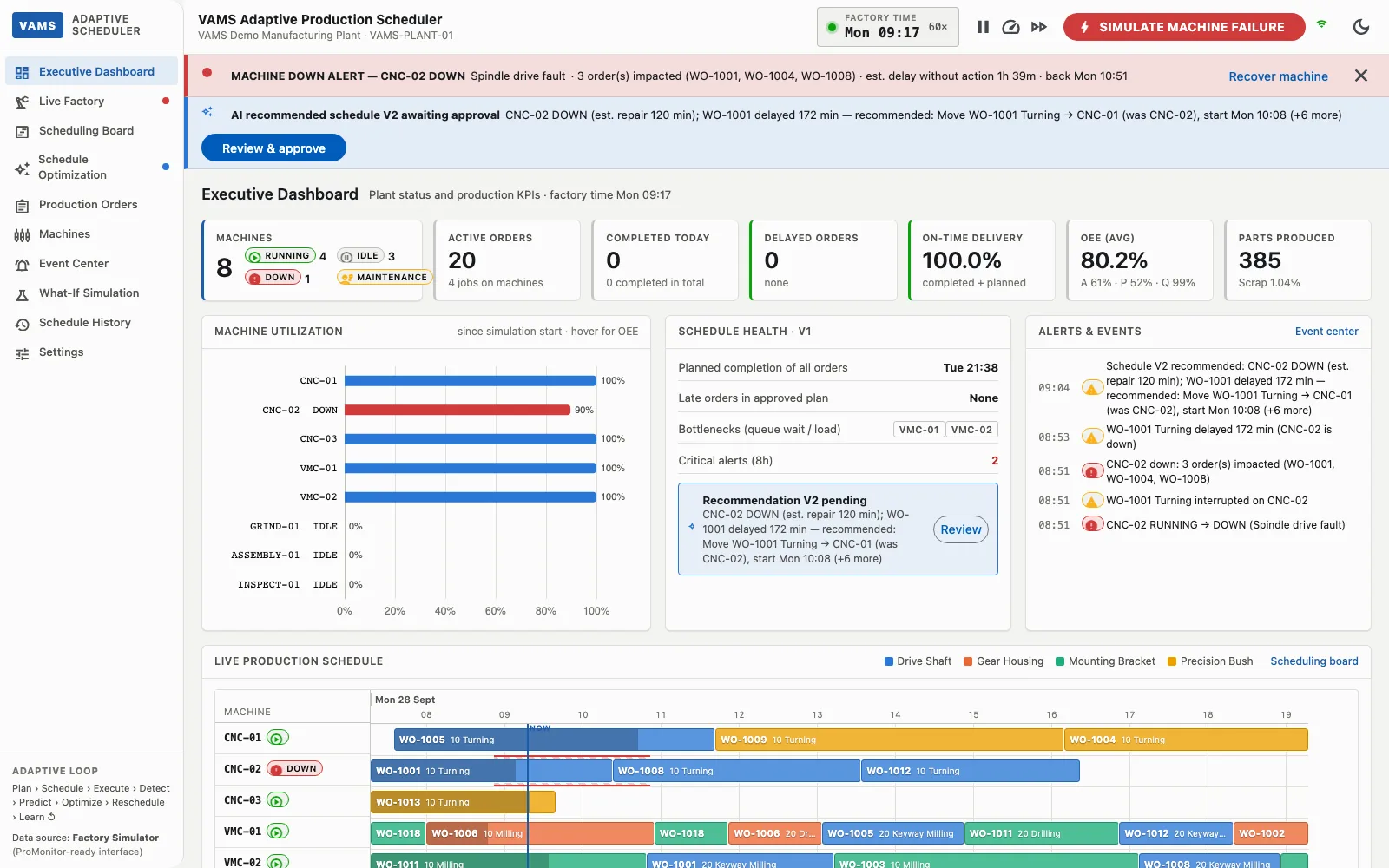
assets/promonitor/scheduler-board.webpassets/promonitor/scheduler-optimization.webp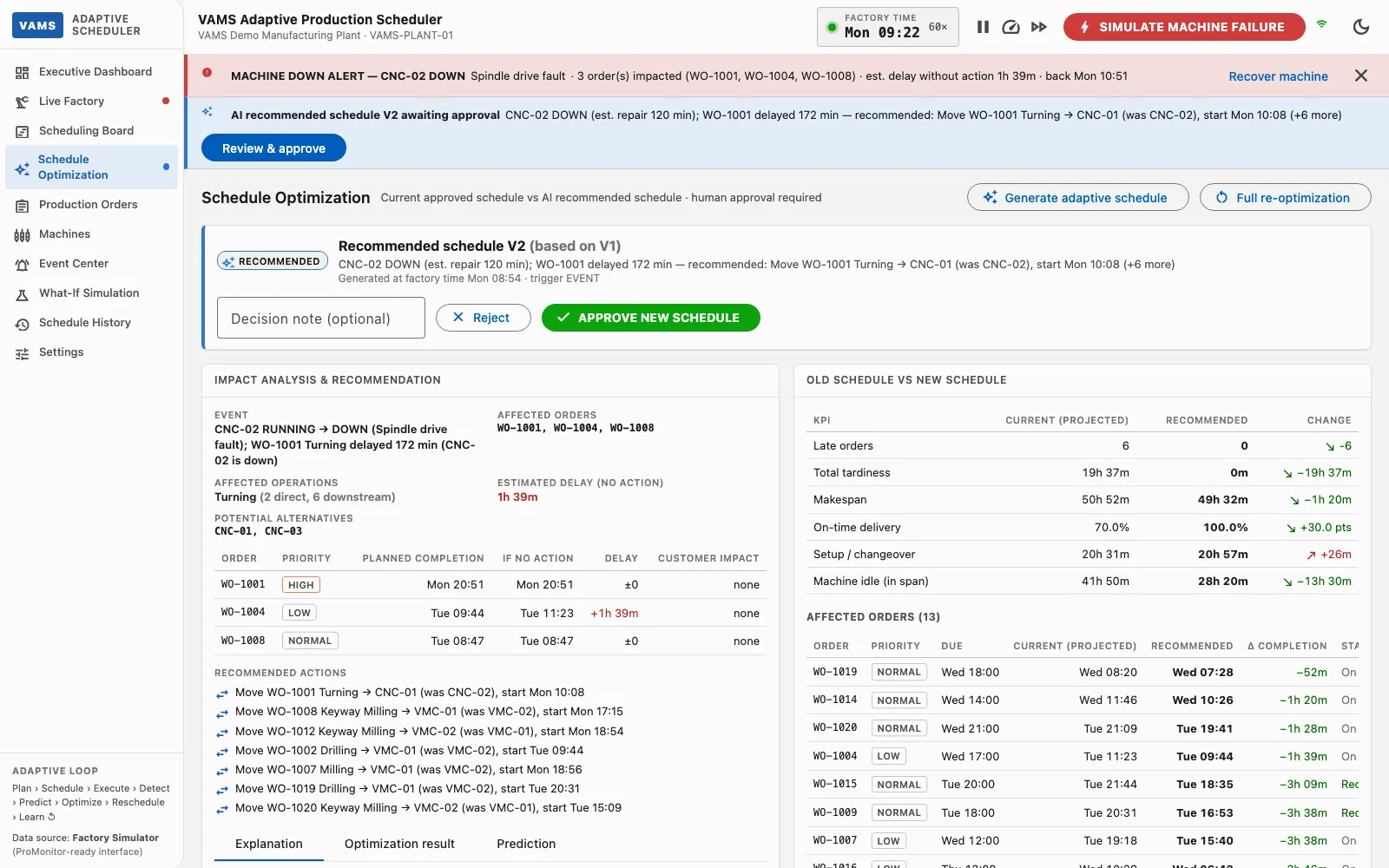
assets/promonitor/scheduler-what-if.webp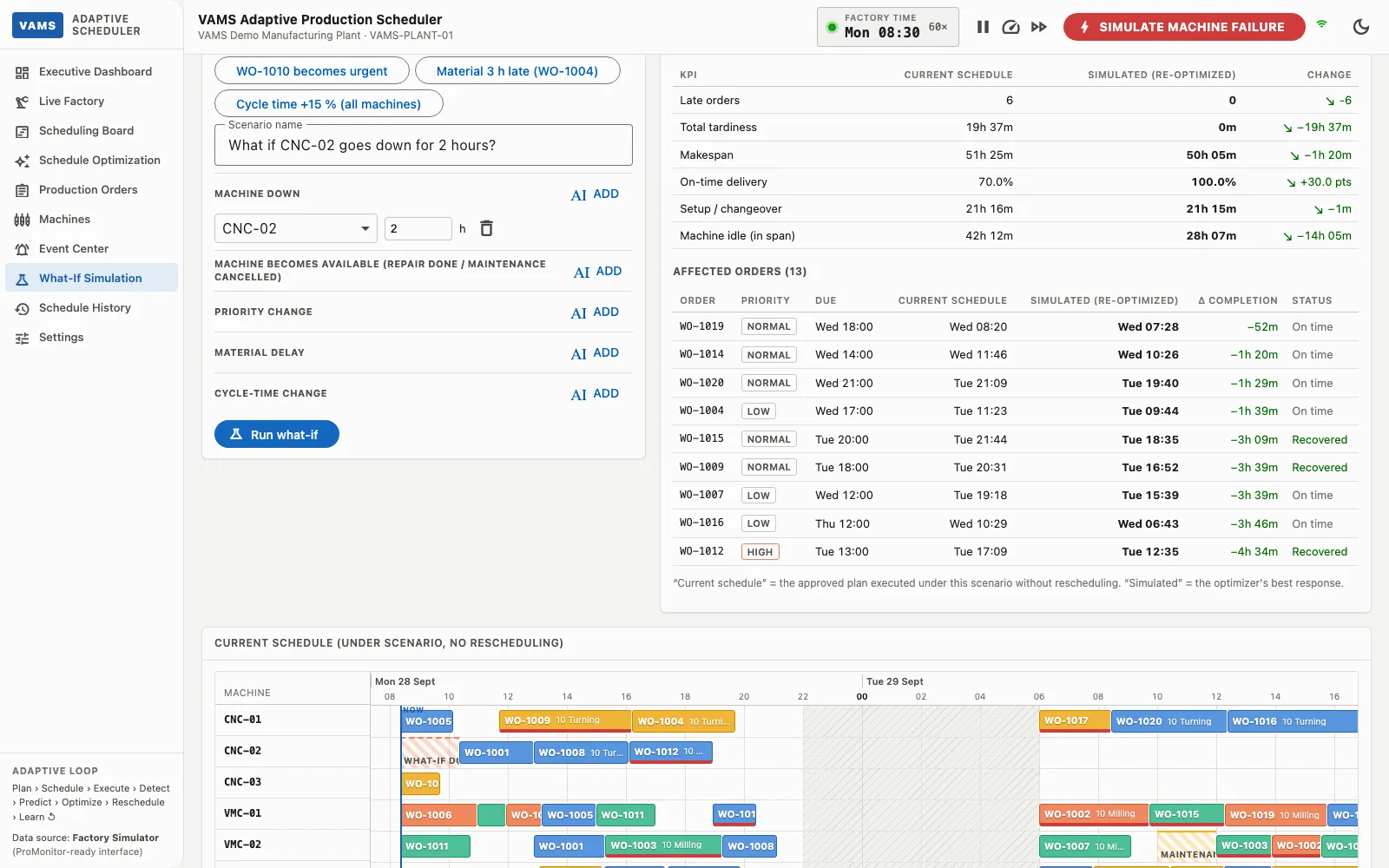
assets/promonitor/scheduler-live-factory.webp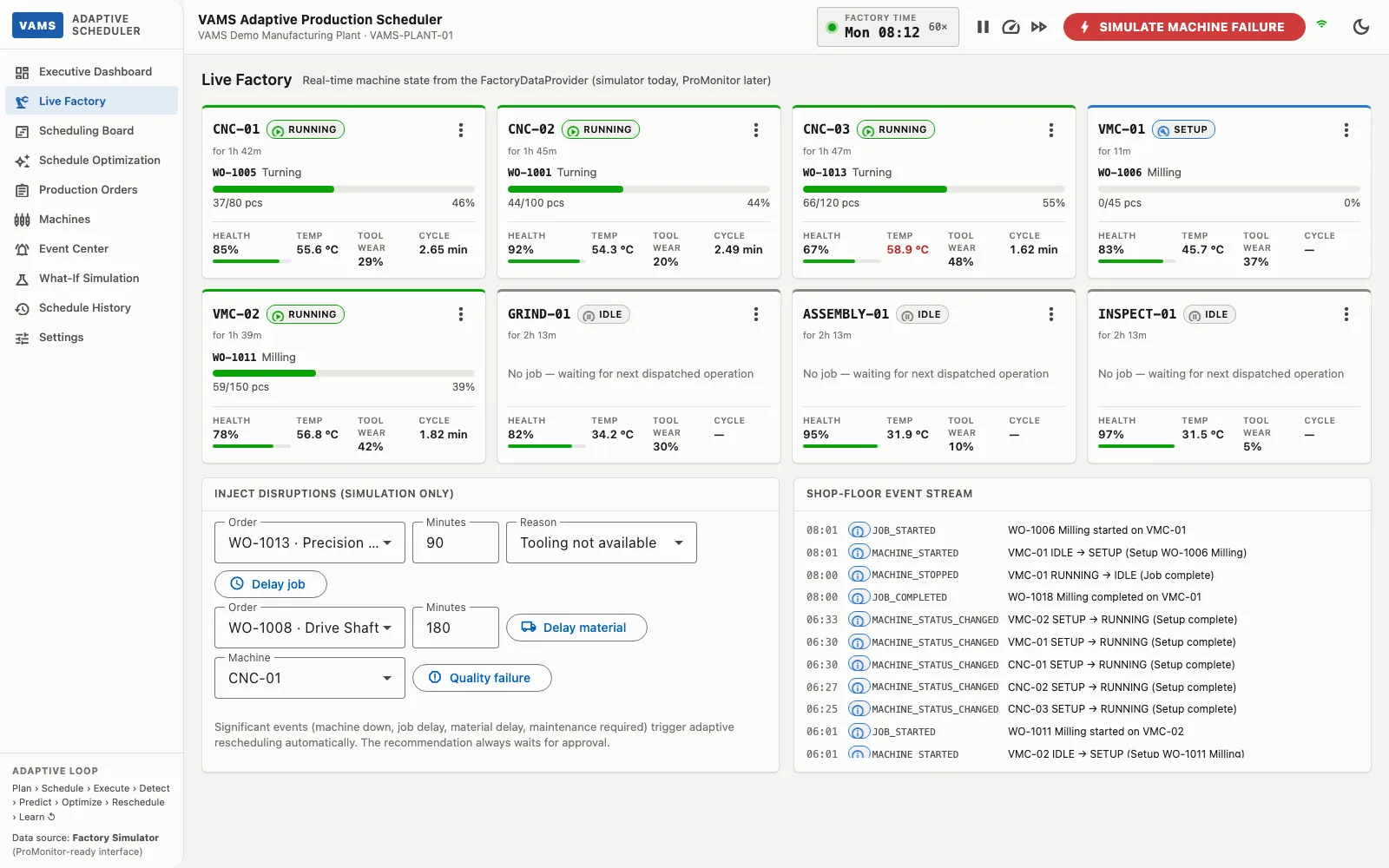
assets/promonitor/scheduler-history.webp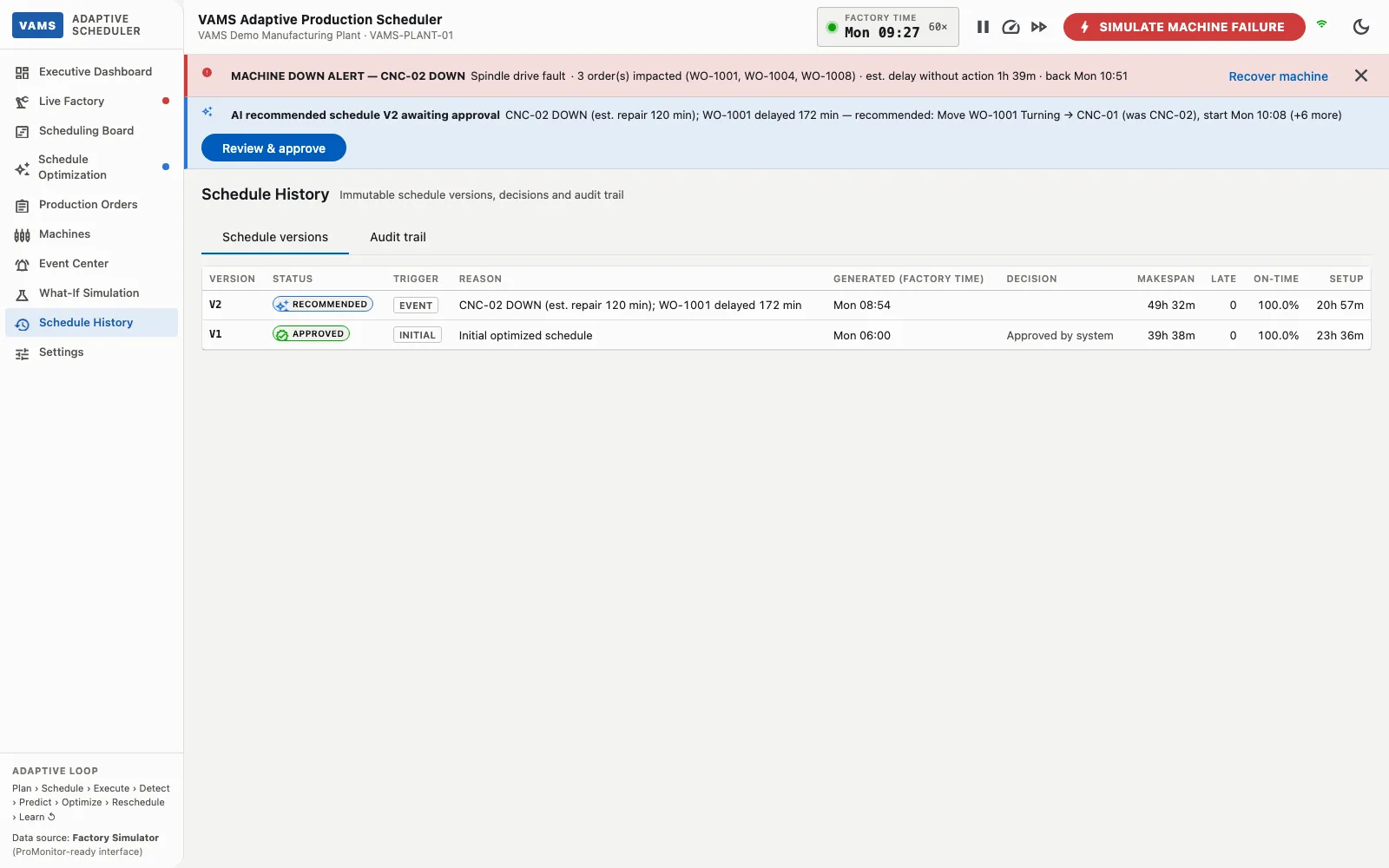
These are the results a plant should target and measure. The scheduler reports each as a KPI, comparing the current schedule with the recommended one. We agree the baseline and targets with you in a pilot; we do not quote figures from the simulator.
Fewer late orders and lower total tardiness, tracked as on-time delivery.
From a machine breakdown or urgent order to a reviewed new schedule in minutes instead of a manual re-plan.
Less idle and setup time, and work moved to available machines while others are down.
A shorter makespan for the same set of orders.
Planners review a recommendation and approve it instead of rebuilding the plan by hand.
Each change has an impact analysis, a comparison and an audit record behind it.
Today the scheduler runs on a factory simulator. Real-time data enters through a single data-provider interface, so ProMonitor’s machine states, production counts and health signals can replace the simulator without changing the scheduling engine, the approval workflow or the screens.
Status Proof of concept. The ProMonitor integration is planned; ERP and MES integration are not part of the current scope.
See ProMonitorTalk to our team about a pilot: your machines, your routings, your KPIs.